
Download Visual Studio Code - Mac, Linux, Windows
At its heart, Visual Studio Code is a code editor. Like many other code editors, VS Code adopts a common user interface and layout of an explorer on the left, showing all of the files and folders you have access to, and an editor on the right, showing the content of the files you have opened.
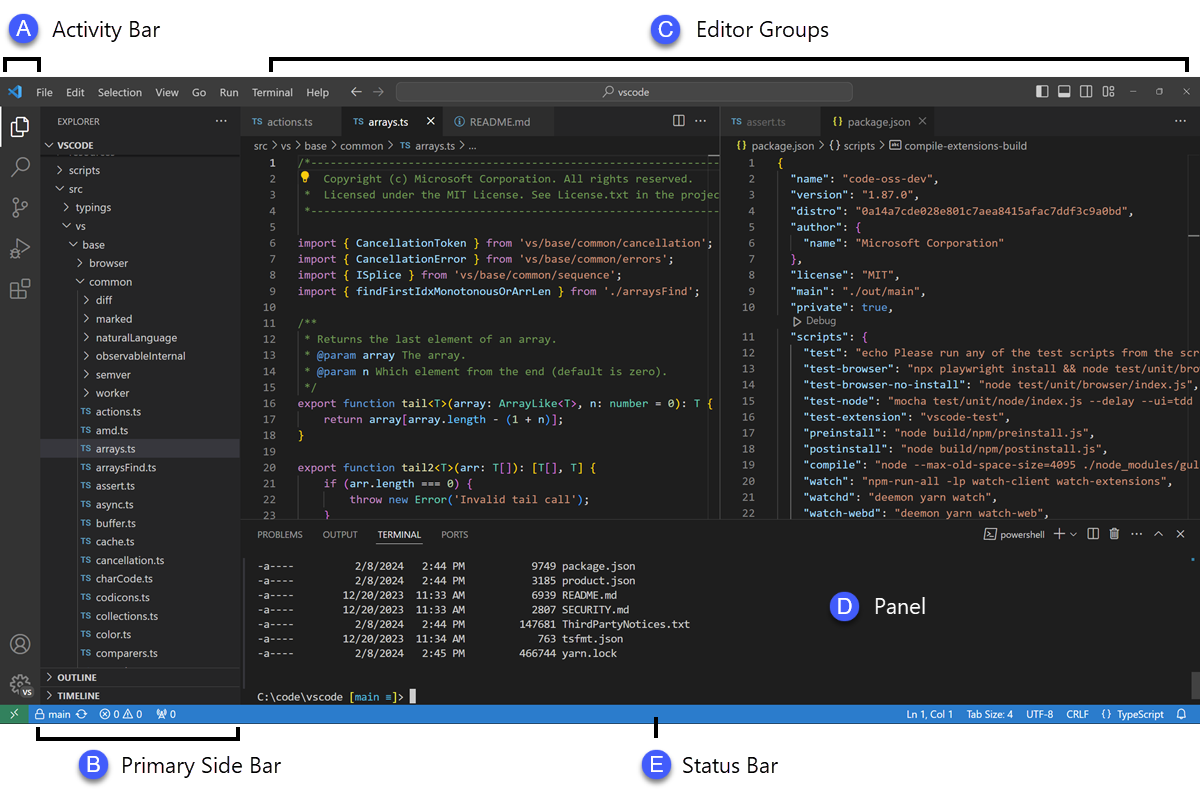
VS Code comes with a simple and intuitive layout that maximizes the space provided for the editor while leaving ample room to browse and access the full context of your folder or project. The UI is divided into five areas:
Each time you start VS Code, it opens up in the same state it was in when you last closed it. The folder, layout, and opened files are preserved.
All functions of Visual Studio Code can be accessed via keyboard only. To do so, just make use of the command palette (Ctrl+Shift+P):
